
Advanced Cluster Management Observability on ROSA
This content is authored by Red Hat experts, but has not yet been tested on every supported configuration. This guide has been validated on OpenShift 4.21. Operator CRD names, API versions, and console paths may differ on other versions.
Deploying RHACM Observability on ROSA
This document provides a complete guide to deploying ACM Observability on a ROSA cluster with Thanos-based metrics storage using AWS S3
- Thanos-based metrics storage using AWS S3 for persistent, long-term metrics retention
- Grafana dashboards for multi-cluster observability and visualization
- Persistent metrics retention across managed clusters
Prerequisites
Required:
- An existing ROSA cluster (Classic or HCP)
- Advanced Cluster Management (ACM) 2.10+ installed and operational
- AWS CLI configured with appropriate permissions
ocCLI authenticated to your ROSA cluster
Verify Prerequisites
Before proceeding, validate your environment meets all requirements:
If ACM is not installed: You must install ACM first. Follow the ACM Installation Guide before proceeding.
Architecture Overview
ACM Observability uses Thanos to collect, store, and query metrics from all managed clusters:
- Metrics are collected from managed clusters via the observability addon
- Thanos components (Query, Store, Compact) process and store metrics
- S3 provides durable, long-term storage for historical metrics
- Grafana provides visualization and dashboards
Step 1: Environment Setup
Set environment variables for the deployment:
Validate Environment Variables
Verify all required variables are set:
Step 2: Prepare AWS Infrastructure
Create S3 Bucket
Verify:
Create IAM Policy for S3 Access
Apply the Policy:
Verify:
Create IAM User
Verify:
Attach Policy to User
Verify:
Generate Access Keys
Step 3: Configure ACM Observability on OpenShift
Create Observability Namespace
Create Pull Secret
The observability components need a pull secret to download container images:
Verify:
Create Thanos Object Storage Secret
This secret contains S3 credentials for Thanos to store metrics:
Verify:
Validate secret content:
Step 4: Deploy MultiClusterObservability
Create the MultiClusterObservability custom resource to enable observability:
Expected Output: Resource created (status may show “Pending” initially)
Step 5: Verify Deployment
Monitor Deployment Progress
After the immediate creation of MultiClusterObservability, pods will start within 2 to 5 minutes, reach a running state within 5 to 10 minutes, and display the first metrics in 10 to 15 minutes.
Check All Pods Are Running
Expected Output:
Verify S3 Bucket Has Data
After 10-15 minutes, metrics should start appearing in S3:
Get Grafana Route
Test Grafana Access
Step 6: Access ACM Observability Dashboards
-
Via ACM Console:
- Log into the OpenShift console
- Navigate to ACM > Overview
- Click on Grafana link in the Observability section
-
Direct Access:
- Visit the Grafana URL from the previous step
- Log in with your OpenShift credentials
-
Available Dashboards:
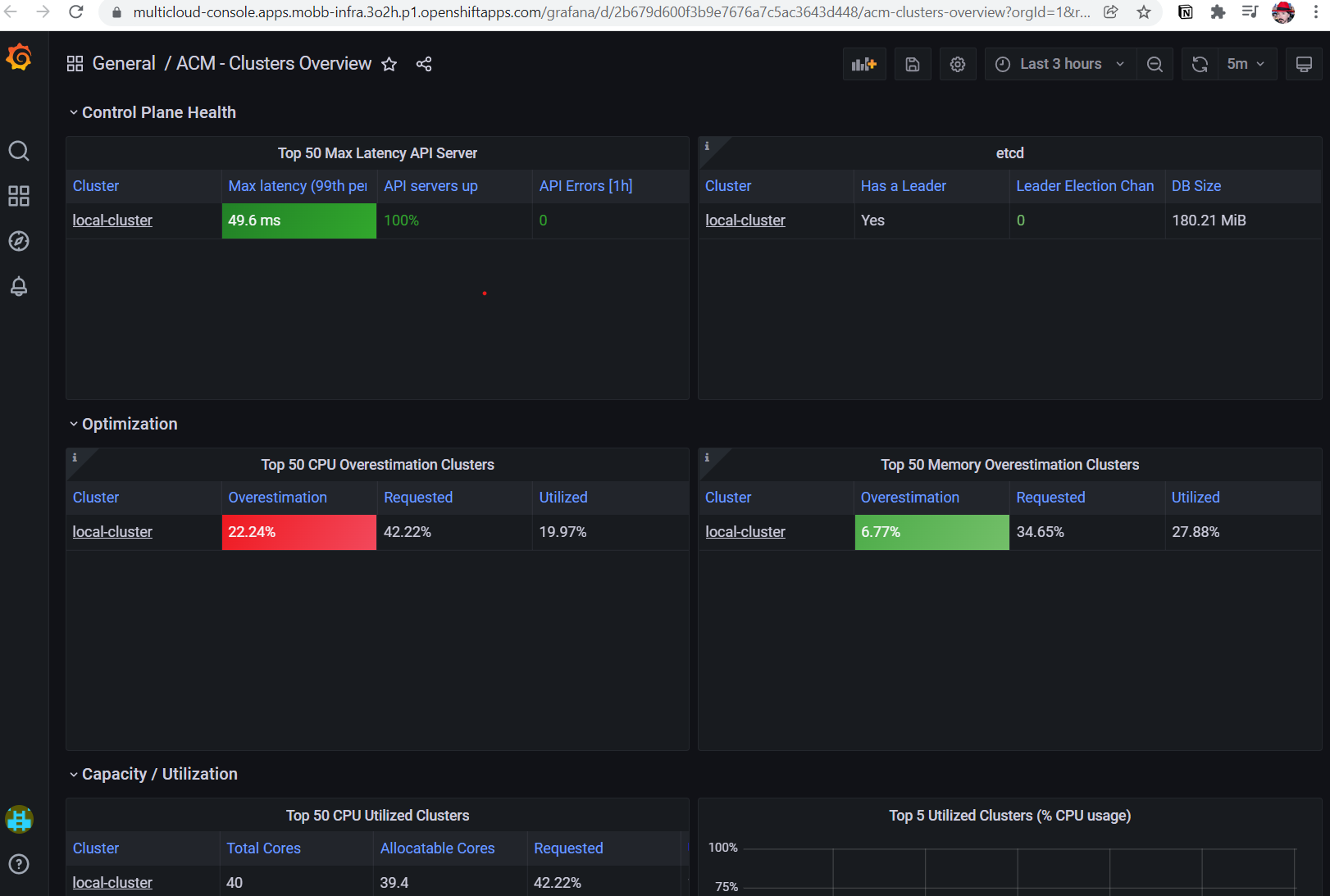
- ACM - Clusters Overview: Health and status of all managed clusters
- ACM - Resource Optimization: Resource usage and capacity planning
- ACM - Applications: Application deployment metrics
Cleanup / Uninstall
To remove ACM Observability:
Additional Resources
- ACM Installation Guide: Installing ACM on OpenShift
- ACM Observability Documentation: Red Hat ACM 2.11 Observability
- Thanos Documentation: Thanos S3 Configuration
- ROSA Documentation: Red Hat OpenShift Service on AWS
